
Alerts
Expiration Risk
Products likely to have stock left over after their usual 30-day sell-through, based on order history.
Updated 2026-09-03
Expiration Risk goes a step further than Stock Alerts: instead of just flagging what's expiring soon, it estimates whether your recent sales pace is fast enough to sell through it. It compares each product's stock expiring within 30 days against how much you've actually been selling, and surfaces the gap.
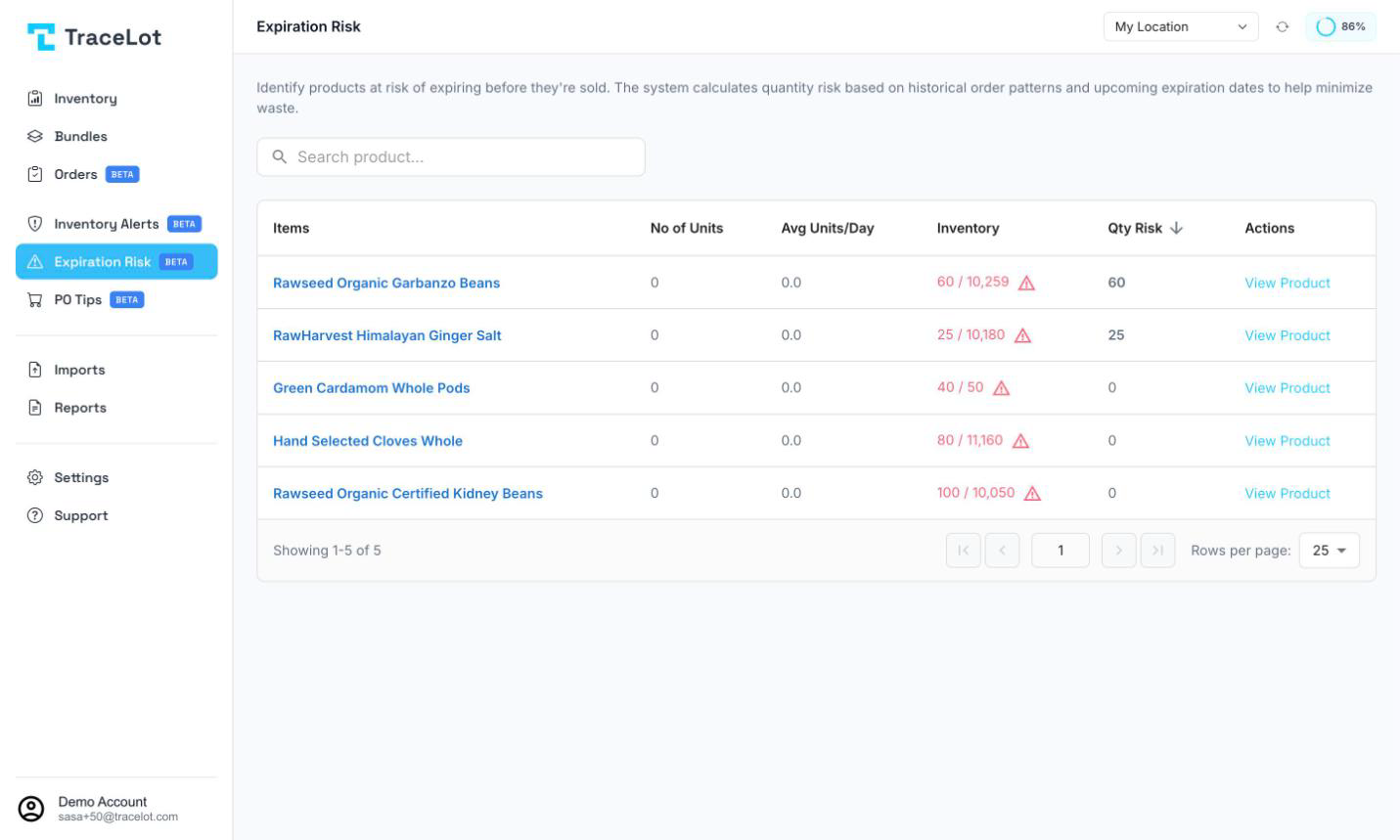
Reading the page
Pick a warehouse first — the page is empty until one is selected. The table has these columns:
| Column | Shows |
|---|---|
| Items | Product name. Click it to open the product. |
| No of Units | Total quantity ordered for this product over the last 30 days. |
| Avg Units/Day | That quantity divided across the order history — your recent average daily sell-through. |
| Inventory | Your stock on hand next to the channel's stock. If the two don't match, a warning icon appears — that's a sync issue worth checking, not an expiry issue. |
| Qty Risk | The number of units expiring within 30 days that your average daily sell-through isn't expected to move in time. Colored amber at 10 or fewer, red above that; blank/zero means no risk. |
| Actions | View Product — opens the product. |
Qty Risk and the two order-history columns are sortable by clicking their headers; the page defaults to sorting by Qty Risk, highest first. Search by product name with the search box above the table.
Note
If a product has no recent order history, Tracelot falls back to its lifetime order history to estimate daily sell-through, so it can still surface a risk even for slow movers.
Acting on a risk
A row with Qty Risk above zero is a candidate for one of these, depending on the cause:
- Move it faster — feature it, discount it, or otherwise push sales before the batch expires.
- Transfer it to a warehouse where it's selling better — see Transfers.
- Correct the count if the Inventory column shows a mismatch with the channel — see Corrections.
Click View Product to open the product page, check its batches, and decide which of these applies.