
Stock movements
Corrections
Adjust a batch's quantity up or down when a physical count doesn't match what Tracelot shows.
Updated 2026-09-03
A correction adjusts a batch's remaining quantity without going through a receipt, order, transfer, or return. Use it whenever the system's number and the shelf don't agree.
When to correct
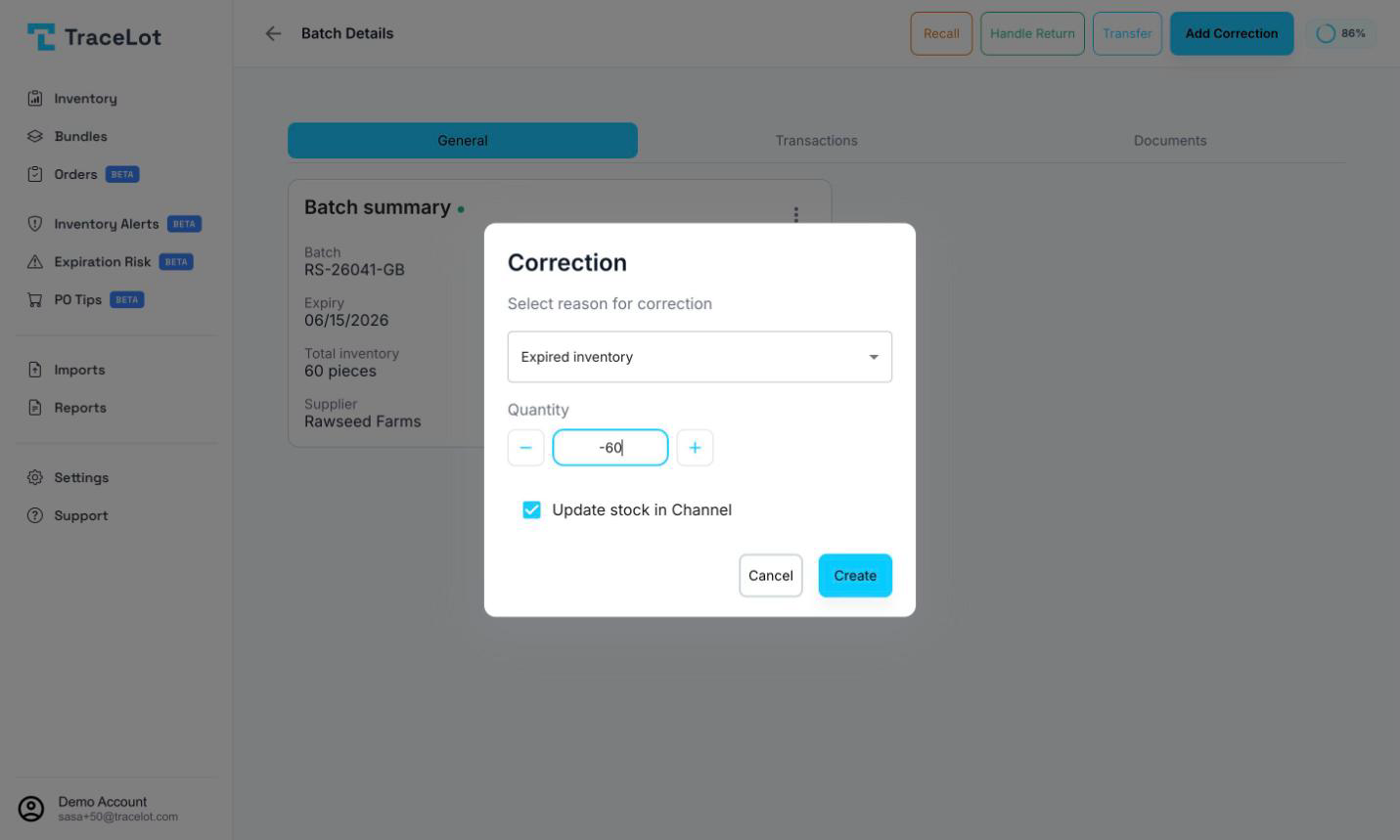
Open a batch and click Add Correction in the toolbar whenever a physical count differs from what Tracelot shows — damage, loss, quality holds, or a prior data-entry mistake. The dialog's reason dropdown lists the situations Tracelot expects: Damaged inventory, Expired inventory, Inventory count adjustment, Lost/stolen inventory, Returned to supplier, Quality control issue, System error correction, and Other (which reveals a free-text field for a custom reason).
Note
"Returned to supplier" here is a correction reason for stock leaving because you sent it back — not the same thing as a customer return. See Returns for handling stock a customer sends back to you.
Making a correction
- Click Add Correction on the batch page.
- Choose a reason from the dropdown (required) — pick Other to type your own.
- Set the Quantity using the −/+ stepper or by typing a value. A positive number adds stock; a negative number removes it.
- For a weight-based (bulk) batch, choose the Unit the quantity is entered in — Grams (g), Kilograms (kg), Ounces (oz), Pounds (lb), Milliliters (ml), or Liters (l). Tracelot converts your entry into the batch's native unit.
- Leave Update stock in Channel checked to push the same change to your connected sales channel, or uncheck it to update Tracelot only.
- Click Create.
Careful
A negative correction can't take a batch below zero. If your quantity would do that, Tracelot caps it at exactly enough to deplete the batch and shows a warning telling you the amount was adjusted.
Where it's recorded
Every correction is written as a ledger entry against the batch, tagged with your chosen reason (and any custom text) in its notes. It shows up immediately in the batch page's Transactions tab alongside receipts, order deductions, and transfers, each with its date, quantity change, and running remaining balance.
Corrections also feed the [Batch ledger](/docs/reports/batch-ledger) and [Product ledger](/docs/reports/product-ledger) reports, since both are built from the same underlying ledger that corrections write to.