
Settings
Security settings
Choose how you sign in — password with two-factor authentication, or a passkey — and change your password.
Updated 2026-09-03
The Security tab is visible to every user, regardless of role, and controls how you personally sign in.
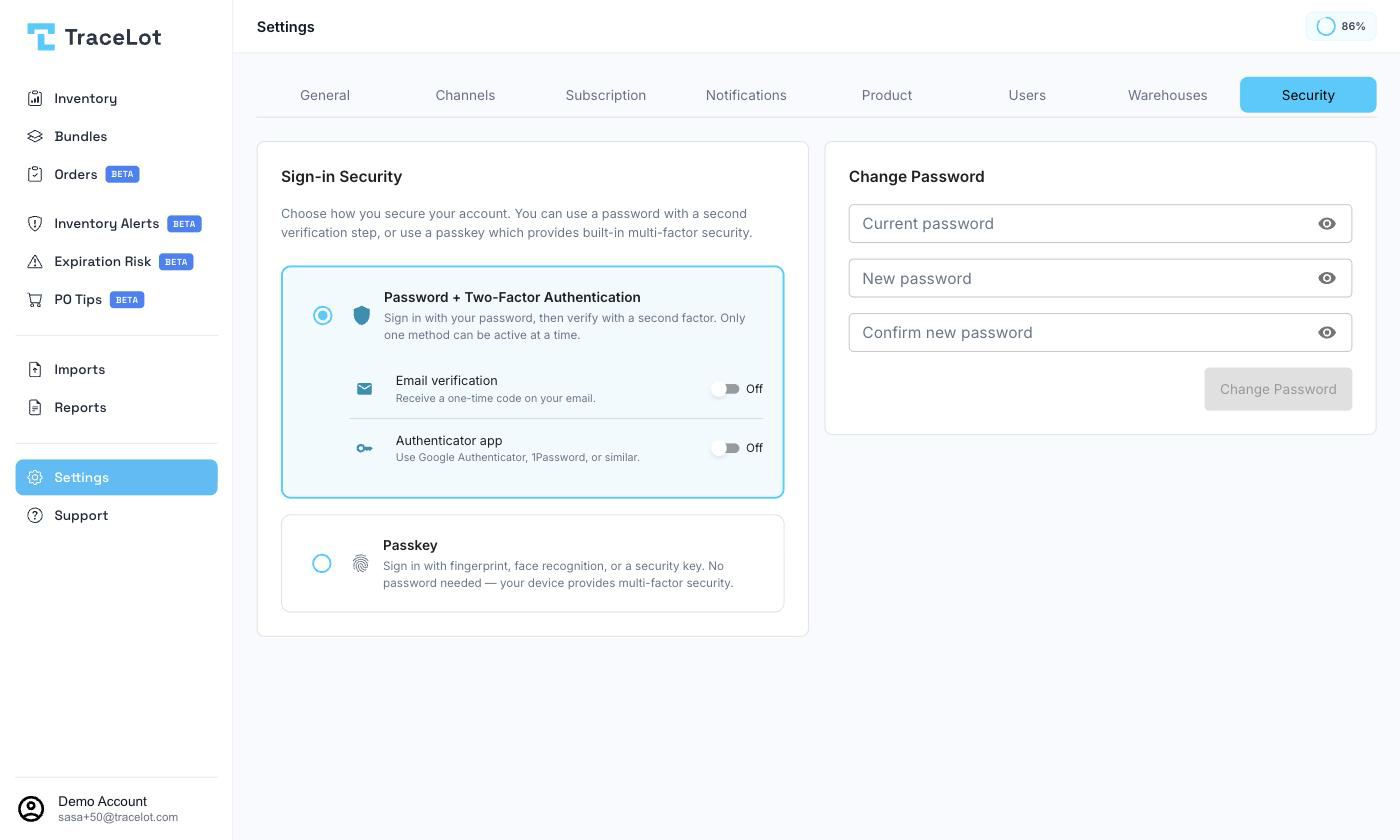
Sign-in Security
Choose one of two sign-in methods. Only one can be active at a time — switching methods disables the other.
Password + Two-Factor Authentication
Sign in with your password, then verify with a second factor. Two options are available, and only one can be on at a time:
- Email verification — receive a one-time code by email. Not shown for local (no-email) users.
- Authenticator app — use Google Authenticator, 1Password, or a similar app. Turning it on opens a Set Up Authenticator dialog: scan the QR code (or enter the shown key manually) in your app, then enter the 6-digit code it generates to verify and enable it.
Turning on Authenticator app while Email verification is already on — or the reverse — shows a confirmation dialog first, since enabling one disables the other. Turning either off requires confirmation; turning off Authenticator app also requires a valid 6-digit code from the app.
Passkey
Sign in with your fingerprint, face recognition, or a security key — no password needed, since your device already provides multi-factor security. Click Add passkey to register one; registered passkeys are listed with their name and the date added, each with a Remove action.
Switching to Passkey while Email verification or Authenticator app is on shows a confirmation dialog first, since it disables whichever of those is currently active.
Change Password
Enter your Current password, then a New password (at least 8 characters, and different from the current one) and Confirm new password. Click Change Password to apply. This card is unrelated to the sign-in method above — it's available regardless of whether two-factor authentication or a passkey is active.