
Reports
Product ledger
An account statement or full audit trail of a product's inventory movements, in total weight or piece counts.
Updated 2026-09-03
The product ledger tracks each product's inventory at the product level — the total across all its batches — rather than per batch. It comes in two forms: a Summary that reads like a bank statement, and a Detailed transaction-by-transaction audit trail.
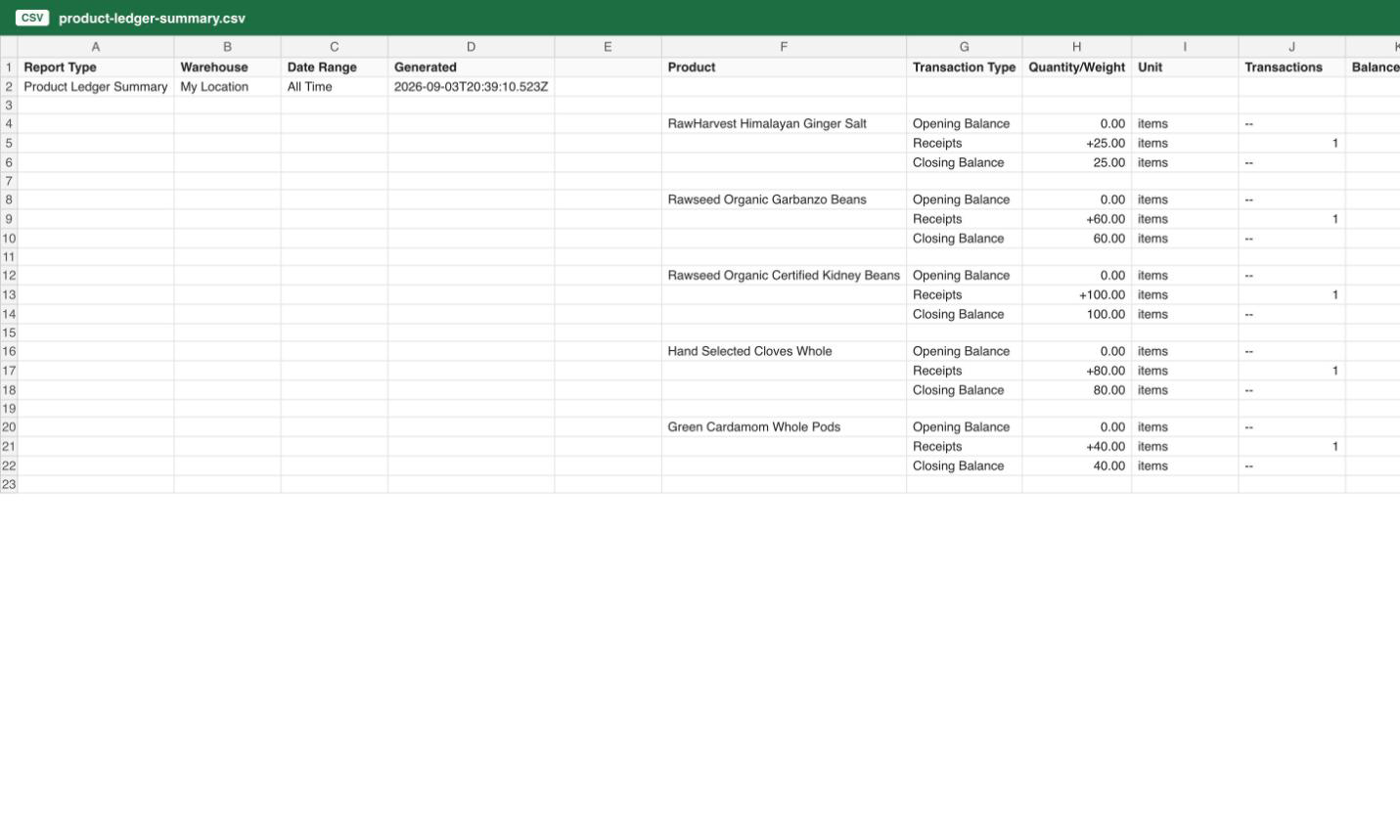
Summary
One block of rows per product, each with an Opening Balance, a row per transaction type that occurred (only types with activity appear), and a Closing Balance. Each transaction-type row shows the net Quantity/Weight change, the Unit (an on-demand product's weight unit, or items), the number of Transactions it represents, and the running Balance after it.
The transaction types, in the order they appear, are: Receipts, Orders Fulfilled, Manual Corrections, Transfers In, Transfers Out, Expired, Adjustments, and Conversions.
Note
The product ledger tracks each product as a whole, not by variant or SKU — so a row aggregates activity across every variant of that product.
Detailed
One row per ledger transaction, in chronological order, with columns Transaction ID, Timestamp, Type, Product, Change, Unit, Running Balance, Reference Type, Reference ID, Notes, and Created By. The Reference Type/Reference ID columns point back to what caused the entry — an order number, a correction, a transfer — and Notes carries any free-text explanation recorded at the time.
The Detailed report accepts an additional filter, not exposed on this page, to narrow to specific transaction types.
When to use which
Use Summary for a quick account-statement view of a product's activity over a period, or to sanity-check that opening plus movements equals closing. Use Detailed when you need the full audit trail — investigating a discrepancy, tracing a specific order's effect on inventory, or producing records for a compliance review.