
Inventory
Batch financials
Record what a batch cost so Tracelot can value your inventory and feed COGS.
Updated 2026-09-03
Batch financials capture the cost per unit and any additional landed costs (freight, duty, insurance, etc.) for a batch's receipts. This is optional — a batch works fine with no cost entered — but recording it is what lets Tracelot value your inventory and calculate cost of goods sold.
Why record cost
Two numbers come out of what you enter here: the raw cost (what the supplier charged) and the landed cost (raw cost plus freight, duty, and other charges to get the goods into your warehouse). Together they're the basis for inventory valuation and for cost of goods sold reporting.
Entering costs
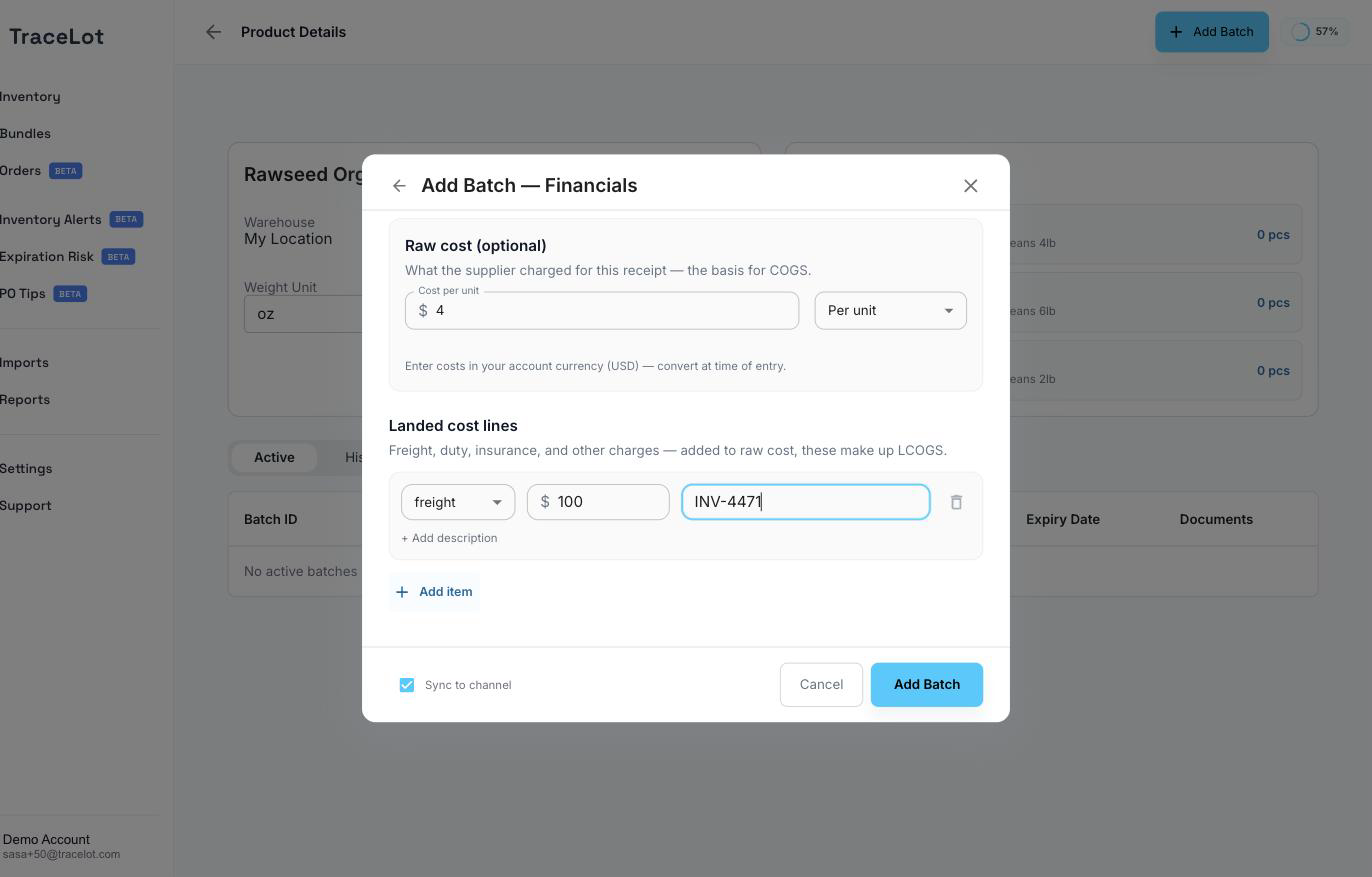
You can enter financials while adding a batch (click + Add financials (optional)), or afterwards from the batch page's ⋮ menu → Edit Financials. The form has two sections:
- Raw cost — what the supplier charged. Enter it as Cost per unit or as a Total for this receipt (Tracelot divides by quantity to show the per-unit figure). A batch received more than once — because a later top-up with the same batch code and expiry date was merged into it — shows one row per receipt, each priced separately; below the rows, a read-only weighted-average unit cost shows what all the entries together produce.
- Landed cost lines — click Add item to add a repeatable charge: a type (freight, duty, insurance, broker, or other), an amount, and optionally an invoice number and description. Add as many lines as you need before saving.
Note
Costs are entered in your account's currency — there's no per-entry currency picker.
How landed cost is computed
The Edit Financials dialog shows a read-only summary above the form once a batch is costed: Purchase unit cost, Landed unit cost, Currency, and — when the batch has a known receipt quantity — Value of remaining units (the batch's remaining quantity multiplied by its landed unit cost). Landed unit cost is the raw purchase cost plus the per-unit share of the landed cost lines.
Currency
The currency used across all cost fields is an account-wide setting, not something you choose per batch. Set it under Settings → General → Currency. Costs already entered keep the currency they were entered in — change the account setting only if no costs have been recorded yet, or if you plan to re-enter them.
Where it shows up
Batch cost feeds two reports: Valuation, which values your on-hand inventory using landed unit cost, and COGS, which uses the same cost data to calculate cost of goods sold as batches are consumed by orders.