
Stock movements
Recalls
Generate a CSV of every order that shipped from a batch, for regulatory recall notifications.
Updated 2026-09-03
Open a batch and click Recall in the toolbar to open the Initiate Recall dialog. It doesn't change the batch or your stock levels — it builds a downloadable list of who already received product from it, so you can act on a recall outside Tracelot.
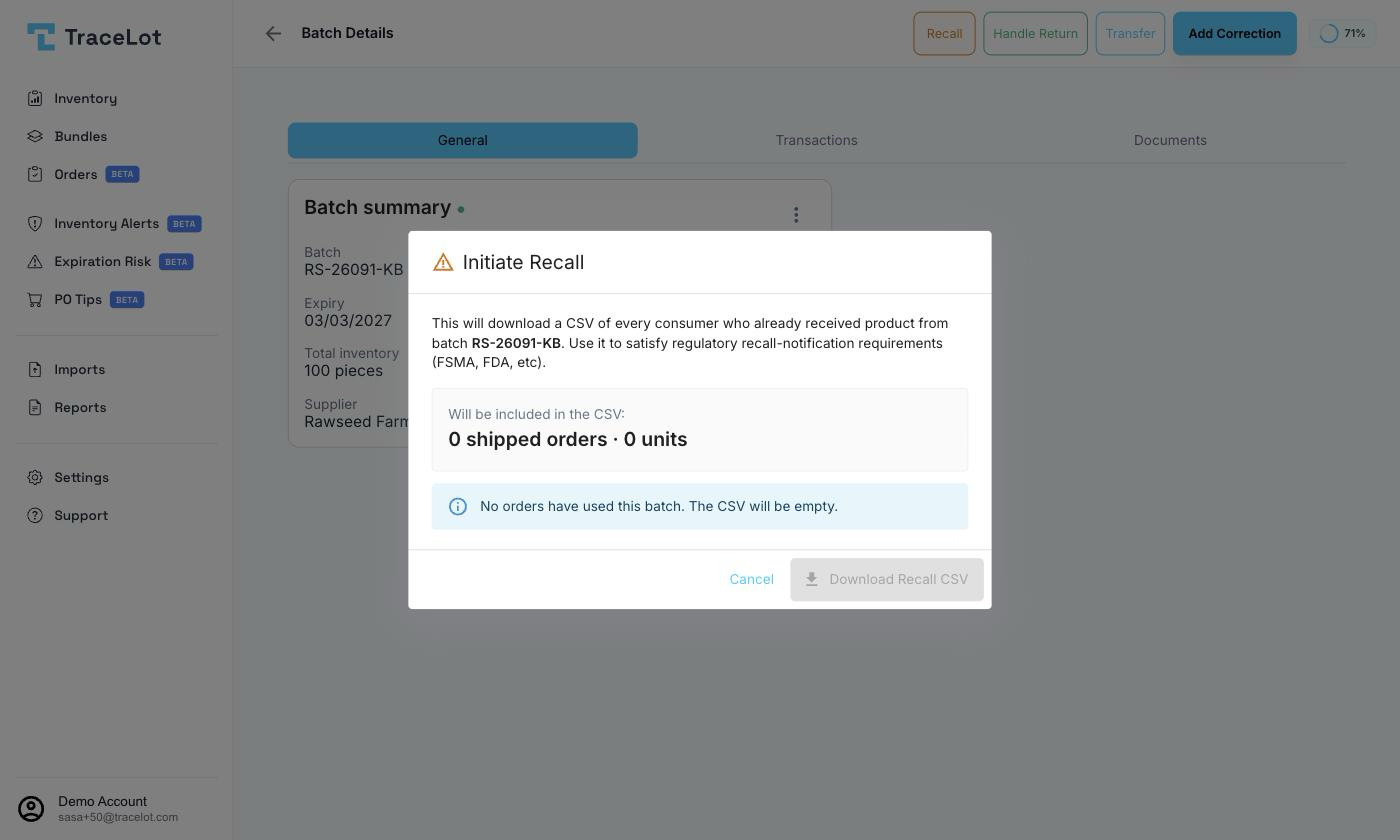
Starting a recall
The dialog explains its purpose up front: "This will download a CSV of every consumer who already received product from batch {batch code}. Use it to satisfy regulatory recall-notification requirements (FSMA, FDA, etc)." While it loads, it fetches a recall summary for the batch before you can download anything.
What you get
The dialog shows a summary card — {shipped orders} shipped order(s) · {shipped units} unit(s) — for what will be included in the CSV. Below that:
- If any orders used this batch but haven't shipped yet, a warning lists how many orders and units are "still in your warehouse, not yet shipped" and suggests you may want to halt them manually — Tracelot doesn't halt or flag them for you.
- If no orders at all have used the batch, an info message says the CSV will be empty, and the download button stays disabled.
Click Download Recall CSV to export the shipped-order list.
Note
The recall summary covers customers and orders that shipped from this specific batch — not every customer who bought the product. Which fields the CSV contains (e.g. customer name, address, order date) aren't defined in the dashboard code; check the file itself once downloaded.
After a recall
Downloading the CSV closes the dialog. Tracelot doesn't change the batch's status, quantity, or ledger as a result of a recall — it's a reporting action, not a stock movement. If you also need to remove the batch's remaining stock from tracking (for example, to pull it from sale), do that separately with a correction or a transfer.