
Reports
Reports overview
Generate and download CSV reports on your product ledger, batch ledger, inventory value, and cost of goods sold.
Updated 2026-09-03
The Reports page generates CSV exports of your inventory activity: ledger statements, batch lifecycle summaries, an inventory valuation snapshot, and a cost-of-goods-sold report. Every report is scoped to the warehouse currently selected in the toolbar.
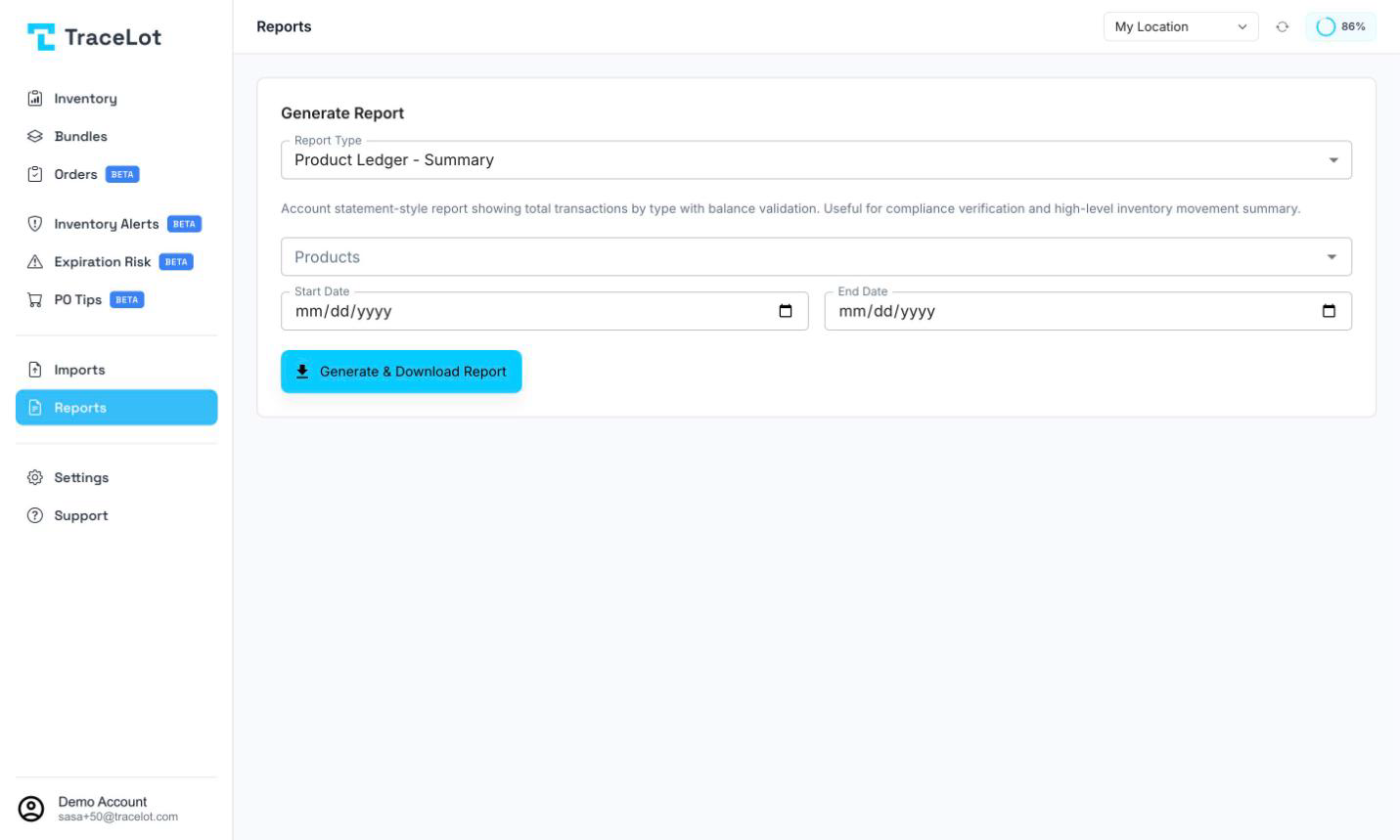
Choosing a report
The Report Type select lists six reports, grouped under a Financial subheading for the last two:
- Product Ledger - Summary — see Product ledger
- Product Ledger - Detailed — see Product ledger
- Batch Ledger - Summary — see Batch ledger
- Batch Ledger - Detailed — see Batch ledger
- Inventory Valuation — see Valuation
- COGS & Write-offs — see COGS
A short description of the selected report appears below the select.
Filters
Every report uses the warehouse currently selected in the toolbar — there's no separate warehouse picker on the page itself, and you must have a warehouse selected before you can generate anything.
- Products — an optional multi-select of products in the selected warehouse. Leave it empty to include every product.
- Start Date / End Date — shown for every report except Inventory Valuation. They bound the report to a date range; leave both empty for all-time.
- As Of Date — shown only for Inventory Valuation, in place of the date range. It defaults to today and values your inventory as it stood at the close of that day.
Generating and downloading
Click Generate & Download Report. Tracelot builds the CSV on the server and your browser downloads it immediately — there's no preview step. The filename encodes the report type, the date or date range it covers, and the warehouse.
Note
The two Financial reports (Valuation and COGS) add a UTF-8 byte-order mark and a sep=, hint to the file so Excel opens them with commas correctly separated into columns in any regional locale. The four ledger reports don't include this — open them in a spreadsheet app that assumes comma-separated values, or import with the delimiter set explicitly.