
Inventory
On-demand products
Track a product by total weight instead of piece counts, with per-variant availability computed automatically.
Updated 2026-09-03
On-demand tracking switches a product from counting pieces to tracking a single pool of total weight. It fits products packaged to order from bulk stock — a base ingredient portioned into different bag sizes, for example.
What on-demand means
An on-demand product has a base variant representing bulk, unpackaged weight, alongside its regular sellable variants (e.g. 4oz, 8oz, 16oz bags). Stock can arrive two ways:
- Bulk — a batch against the base variant, tracked purely as weight (e.g. a 200lb bag of raw material).
- Pre-packaged — a batch against a specific piece variant (e.g. 400 pre-filled 8oz bags), which is tracked in pieces but still adds to the product's total weight.
On the Inventory page, an on-demand product's Available column shows total weight (e.g. "42.5 oz") instead of a piece count; an expanded variant row shows both PrePack (physical pre-packaged units in stock) and Avail (units that could still be made from bulk weight).
Enabling it
On-demand must first be turned on for the account under Settings → General → On-Demand Product, where you also set the default measurement unit (grams, kilograms, milliliters, liters, ounces, or pounds).
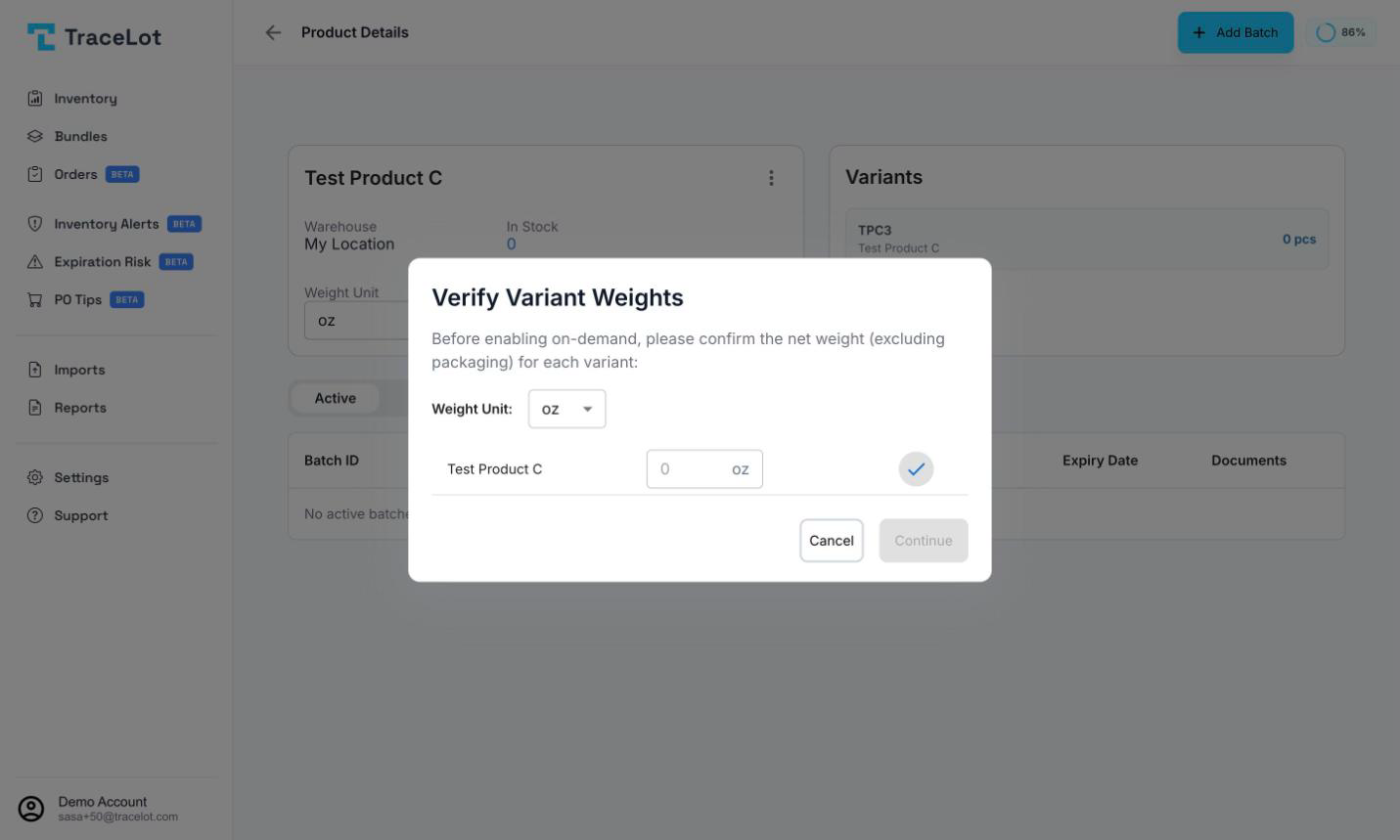
Per product, open the product page, click the ⋮ menu, and choose Enable On-Demand. If any non-base variants don't yet have a confirmed net weight, you'll be asked to Verify Variant Weights first — enter the net weight (excluding packaging) for each. If the product has no batches yet, you can optionally enter a first batch's details in the Avoid Stock Downtime step so a batch is created automatically the moment on-demand is enabled, so the channel never shows 0 stock.
Enabling on-demand converts existing piece inventory to weight and does not change anything on your sales channels. It can be reversed later from the same ⋮ menu (Disable On-Demand) as long as no bulk (weight-based) batches remain.
Multiple products can be converted at once: on the Inventory page, use the ⋮ menu next to the warehouse selector to enter selection mode, select products, and choose Enable On-Demand (N).
How stock is pushed to the channel
Every unit sold or received against an on-demand product updates the base variant's total weight. Each sellable variant's availability is then computed from that shared weight pool rather than tracked independently, and that per-variant availability — not a shared bulk number — is what gets pushed to your sales channel.