
Reports
Batch ledger
A lifecycle summary of every batch, or a full transaction history for individual batches, for lot tracking and FEFO verification.
Updated 2026-09-03
The batch ledger tracks inventory at the individual batch level — the same lot-and-expiry granularity you work with on the batch page. Like the product ledger, it comes in a Summary (one row per batch) and a Detailed transaction history.
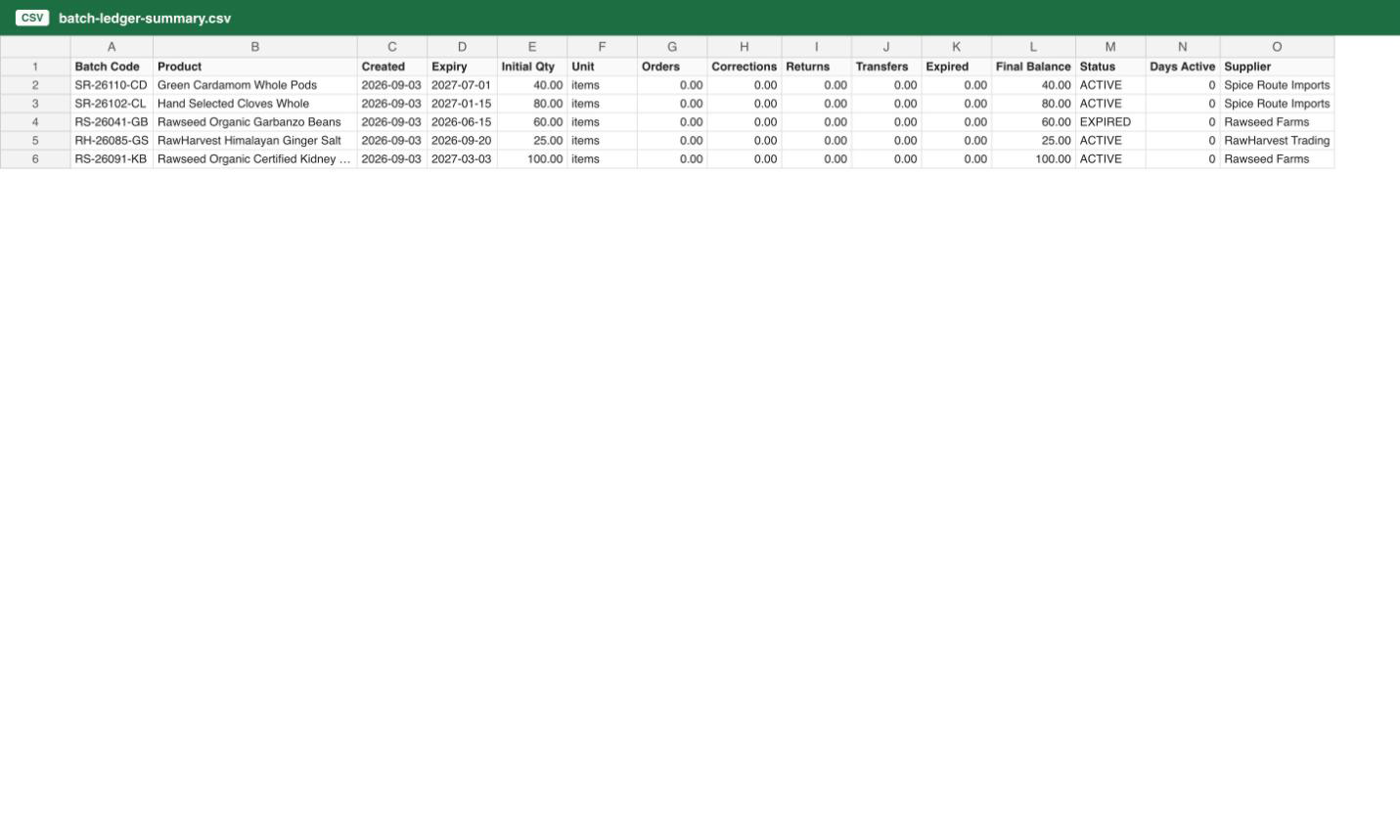
Summary
One row per batch, with columns Batch Code, Product, SKU, Created, Expiry, Initial Qty, Unit, Orders, Corrections, Returns, Transfers, Expired, Final Balance, Status, Days Active, and Supplier.
- Initial Qty sums the batch's opening balance and receipts.
- Orders and Expired are negative (units leaving the batch); Corrections, Returns, and Transfers can be positive or negative.
- Status is DEPLETED when the final balance is zero and no transfer occurred, TRANSFERRED when it's zero and a transfer did occur, EXPIRED when the batch's expiry date has passed, or ACTIVE otherwise.
- Days Active runs from creation to now for an active batch, or to its last transaction if it's depleted or transferred.
Detailed
One row per transaction on the matching batch or batches, in chronological order, with columns Transaction ID, Timestamp, Batch Code, Product, SKU, Type, Change, Unit, Running Balance, Expiry Date, Order Ref, and Notes. You can narrow this report to one batch by its code — useful when you already know which lot you're investigating.
When to use which
Use Summary to compare batches against each other — supplier performance, how quickly a batch typically sells through, or which batches expired unsold. Use Detailed for lot-level traceability: verifying FEFO was followed, tracing a recall's affected orders, or producing FDA/USDA-style records for a single batch.