
Settings
Warehouse settings
Choose which order status triggers batch allocation for each warehouse.
Updated 2026-09-03
The Warehouses tab lists every warehouse synced to your account, one card per warehouse, and lets you set a per-warehouse order-processing setting. It's visible to owner and admin users only.
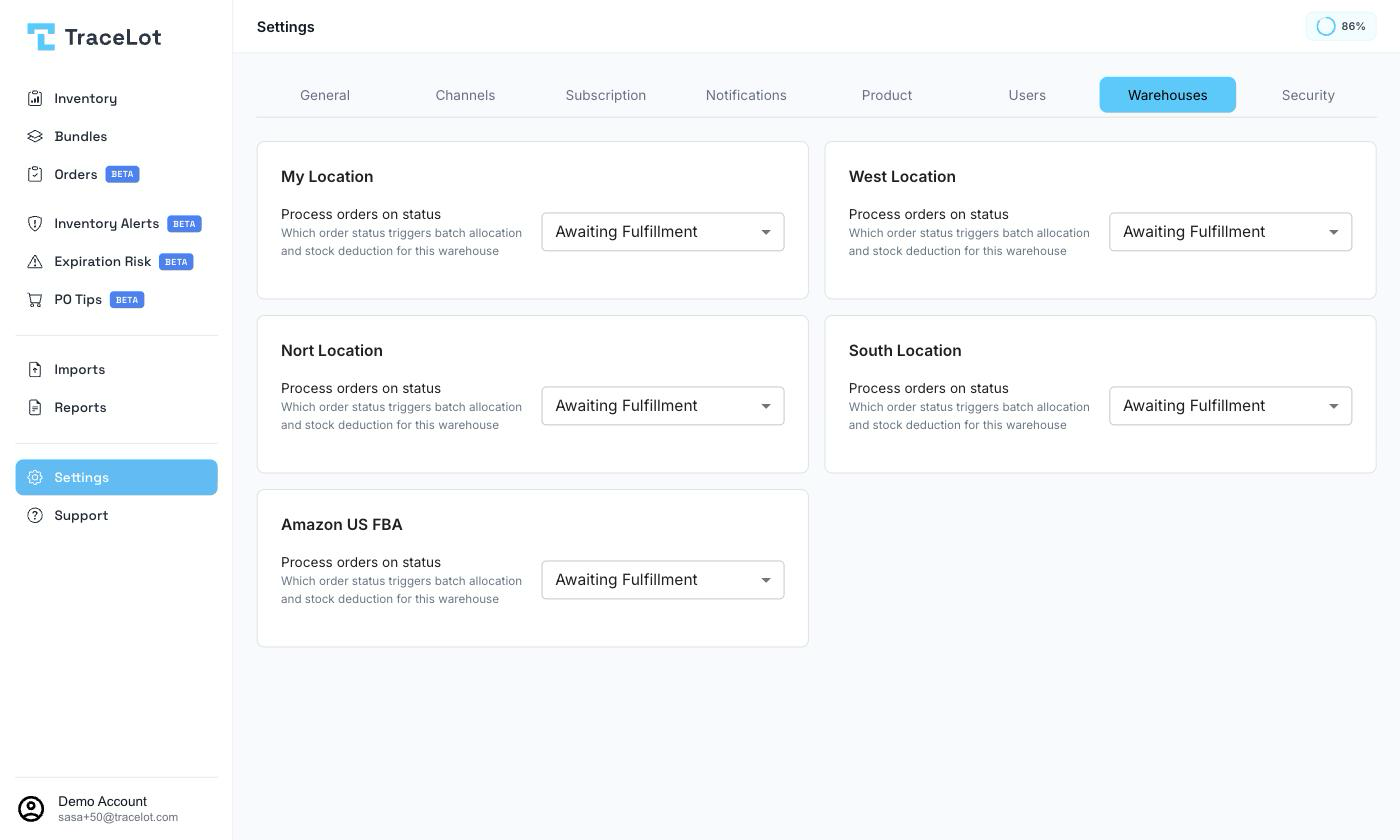
The warehouse list
Each synced warehouse gets its own card, titled with the warehouse's name. If no warehouses have synced yet, the tab shows a message asking you to connect a sales channel and sync warehouses first.
Process orders on status
Each warehouse card has a Process orders on status field, choosing which order status triggers batch allocation and stock deduction for that warehouse:
- Awaiting Fulfillment — orders are allocated and stock is deducted as soon as they reach this status.
- Shipped — allocation and stock deduction wait until the order is marked shipped.
Changing the value saves immediately — there's no separate Save button.